Group Waiting List
Report Parameters
|
Field |
Description |
|---|---|
|
Report Name |
The name of the report. |
|
Summary |
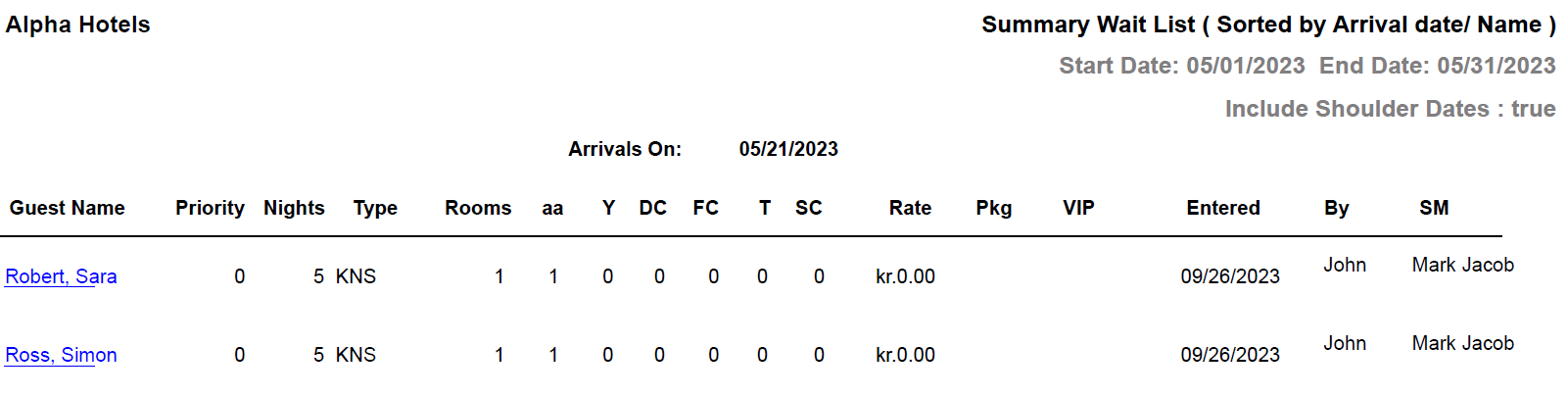
Select this option to generate a summarized group waiting list report. |
|
Detail |
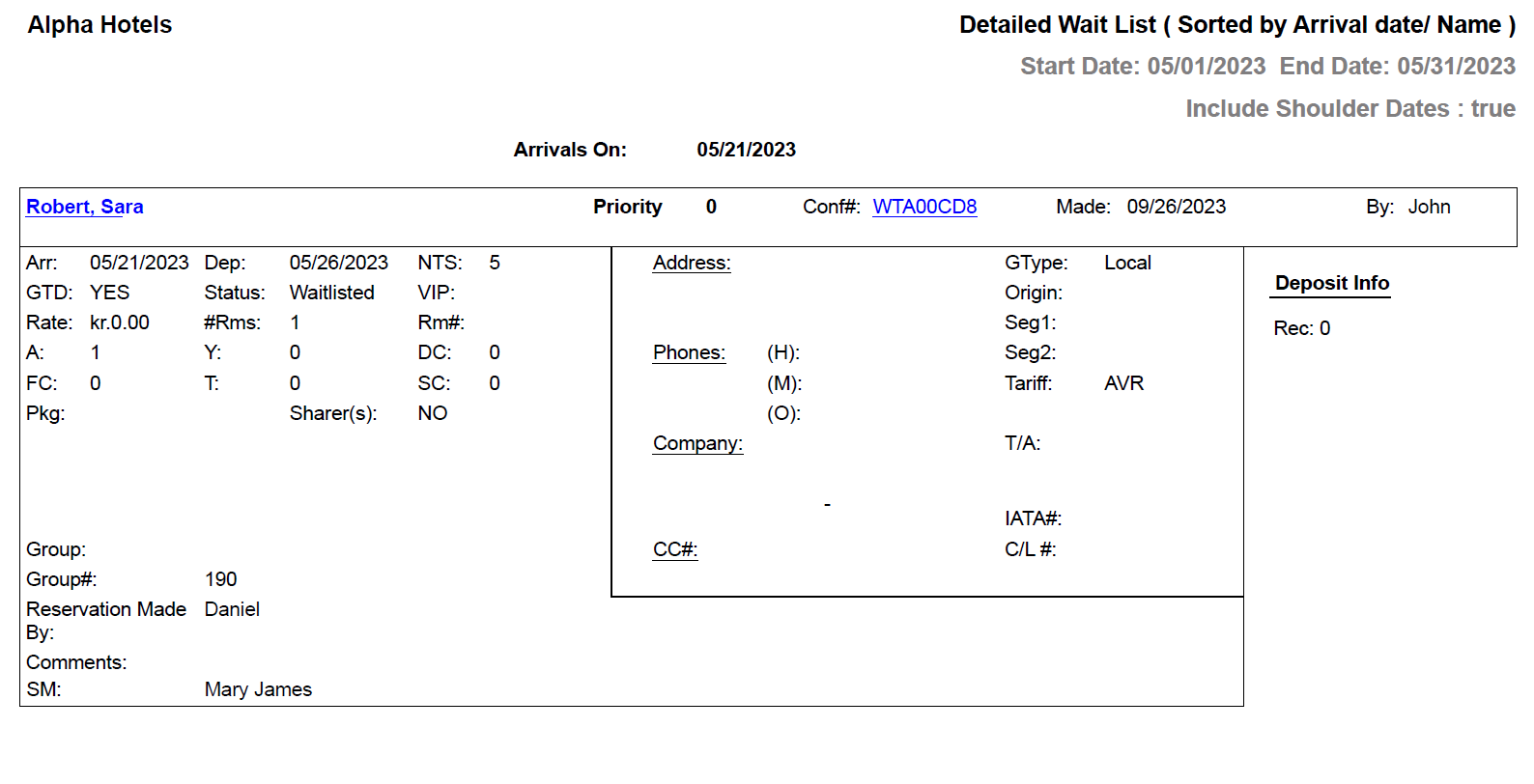
Select this option to generate a detailed group waiting list report. |
|
Start Date |
The start date from when the data must be considered for generating the report. |
|
End Date |
The end date until when the data must be considered for generating the report. |
|
Sort Options |
Select a desired option from the following:
The report would be sorted based on the selected option. |
|
Report Options |
Available options include the following:
|
|
Include Shoulder Dates |
By default, the flag will be enabled. |
Sample Report - Summary Wait List
Sample Report - Detailed Wait List
Report Fields
|
Field |
Description |
|---|---|
|
Arrivals On |
The date for the guest waiting list details is displayed. |
|
Guest Name |
The last name and first name of the guest. |
|
Priority |
Priority level of the request. |
|
Nights |
The number of nights of stay. However, the title of this field in detail group waiting list is NTS. |
|
Type |
The room type selected for the reservation. |
|
Rooms |
Number of rooms reserved by the guest. However, the title of this field in detail group waiting list is #Rms. |
|
A |
The number of adults on the reservation. |
|
Y |
The number of youths on the reservation. |
|
DC |
The number of children eligible for discount on the reservation. |
|
FC |
The number of children not eligible for discount on the reservation. |
|
T |
The number of toddlers on the reservation. |
|
SC |
The number of senior citizens on the reservation. |
|
Rate |
The rate of the room type selected for the reservation. |
|
Pkg |
The package selected for the reservation. |
|
VIP |
The code that identifies the VIP type of the guest at the property., if any. |
|
Entered |
The date the reservation was placed on the wait list. However, the title of this field in detail group waiting list is Made. |
|
By |
User who created the reservation. |
|
SM |
The name of the sales manager. |
|
Conf# |
The confirmation number of the reservation. |
|
Arr |
The arrival date of the guest. |
|
Dep |
The departure date of the guest. |
|
GTD |
Indicates whether the guest reservation is guaranteed. |
|
Status |
The status of the reservation. |
|
Rm# |
The room number of the guest. |
|
Share(s) |
Indicates whether the reservation is a shared reservation. |
|
Group |
The booking name of the group. |
|
Group # |
The booking ID of the group. |
|
Reservation Made By |
The name of the user who created the reservation record. |
|
Comments |
Comments entered by the user, if any. |
|
Address |
The contact address of the guest. |
|
Phones |
|
|
(H) |
The home phone number of the guest. |
|
(M) |
The mobile phone number of the guest. |
|
(O) |
The work phone number of the guest. |
|
Company |
The name of the company to which the guest belongs. |
|
CC# |
Credit card number. |
|
GType |
The guest type selected when creating the reservation. |
|
Origin |
Indicates the guest’s origin, that is, where the guest came from or heard about the property. |
|
Seg1 |
The segment 1 code selected when creating the reservation. |
|
Seg2 |
The segment 2 code selected when creating the reservation. |
|
T/A |
Indicates whether the reservation is made by a travel agent. |
|
IATA# |
The IATA number of a travel agent associated to the company. |
|
C/L # |
The reservation cancellation number. |